DAD OPS RADIO
Limited Availability
Talk to the other fireteam leads without leaving your squad's Discord channel. Hold a key, reach every lead on Command, and keep playing.
Free. Windows 10/11. Sign in with the same Discord you use on dadops.gg. The browser version works on Mac and phones too (keys only while its tab is in front).
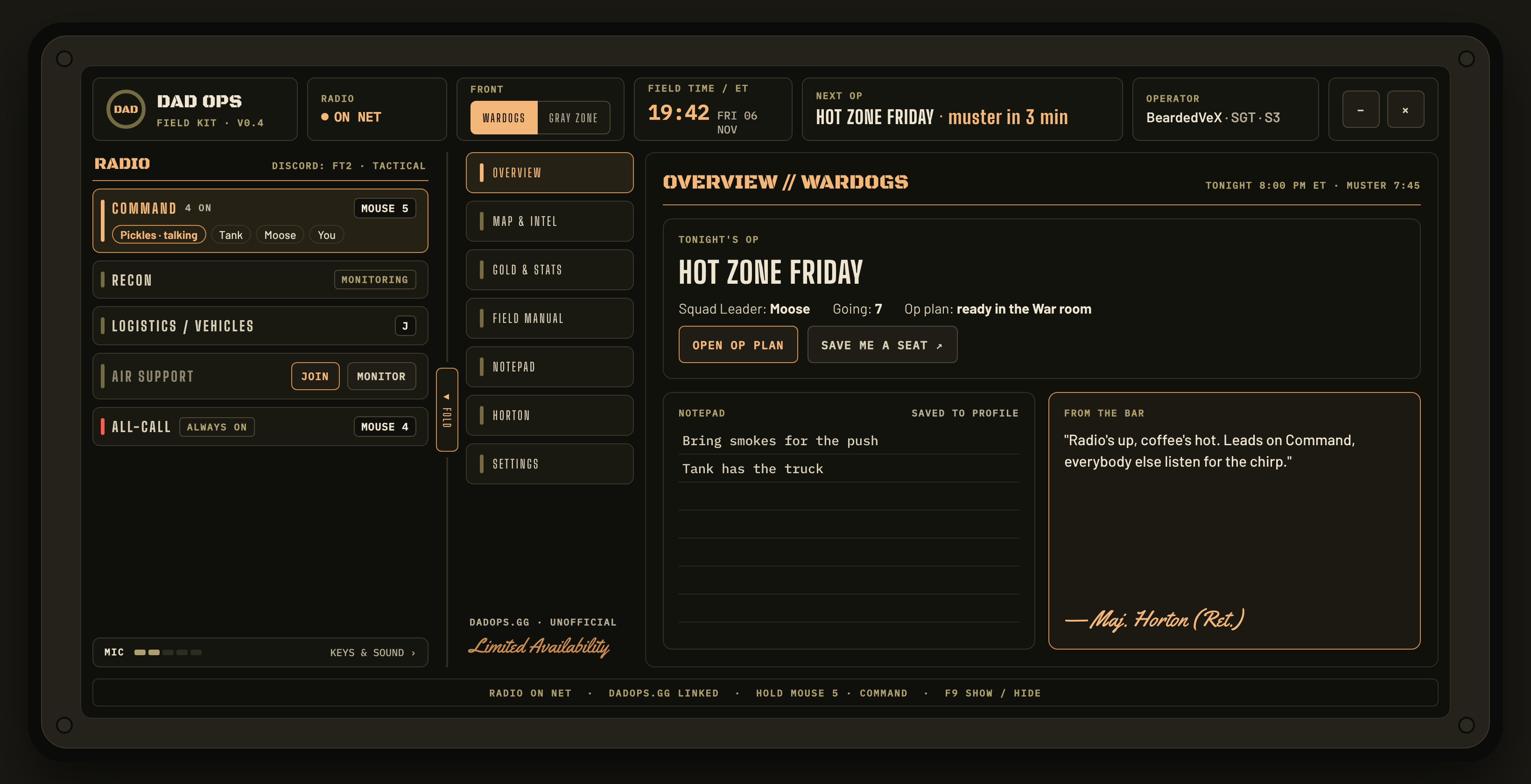
Discord for your squad. The radio for everyone else.
Stay in your channel
Your fireteam keeps talking in its Discord channel with your normal Discord push-to-talk. Nothing about that changes.
Key up on a net
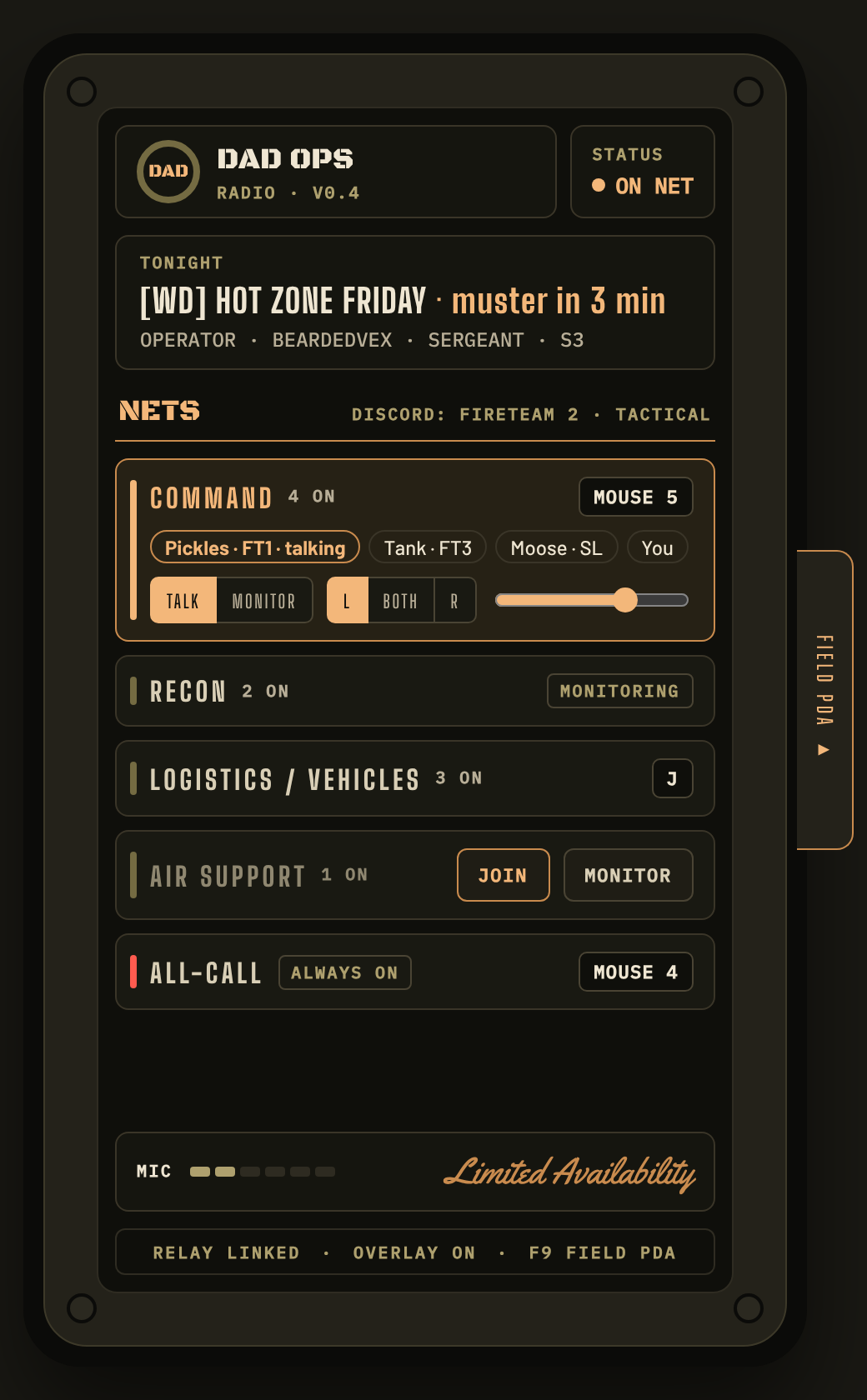
Hold your Command key (say Mouse 5) and every lead on Command hears you, in one ear, at the volume they set. Your squad doesn't hear the chatter.
See who's talking
A small overlay in the corner shows who's on which net, with their fireteam from Discord: Pickles · FT1. Press F9 for the whole field kit.
Five nets, one key each
| Net | For | Who | Ear |
|---|---|---|---|
| Command | Fireteam leads talking to each other | Private and up | Left |
| Recon | Scouts and snipers calling out what they see | Private and up | Right |
| Air Support | Heli pilots and air support calls | Private and up | Right |
| Logistics / Vehicles | Drivers, supply runs and vehicle moves | Private and up | Right |
| All-call | "Regroup at the vehicle." Plays a chirp first | Everyone listens; tonight's Squad Leader and S3 talk | Both |
Want to hear a net without talking on it? Pick Monitor only: you hear it, your key for it does nothing, and others see you as listening. Recruits can listen to All-call; the rest opens once your Battle Buddies vouch you in to Private. Ears and volume are yours to change.
Get on net
Install
Download, run it. Windows may say "Windows protected your PC" because the app is new: click More info → Run anyway.
Sign in
Sign in with Discord (the same account as dadops.gg). It gets on net by itself; allow the microphone if Windows asks.
Join and set your keys
Click Join net on Command, then click its key box and press the button you want. Use a mouse button or a key you never type with: talk keys work everywhere, even while you type.
Game in Borderless
Set WARDOGS to Borderless or Windowed so the overlay and the field kit can show on top. Nothing can draw over exclusive Fullscreen.
Radio and Field PDA, one device
F9 anywhere
Pops the whole kit up over the game with the Field PDA folded out. Press it again to tuck it away. The radio stays on net the whole time.
Fold it
Just want the radio? ◂ FOLD on the hinge. Want the PDA back? The FIELD PDA ▸ tab on the edge.
Lives in the tray
× hides it by the clock and keeps you on net. It can start with Windows, and it updates itself.
Good to know
Does it touch the game? Anti-cheat?
No. The overlay is its own see-through window on top, like Discord's, and the talk keys use the same standard Windows key listener Discord and OBS use. Nothing reads or changes the game.
My talk key types into chat / keys me up while typing
Talk keys work everywhere, so pick something you never type with: Mouse 5, Mouse 4, a numpad key or F13. New installs start on Mouse 5 (Command) and Mouse 4 (All-call).
Talk keys don't work in the game
- If the game (or its launcher) runs as administrator, Windows won't pass its keys to a normal app. Try running the radio as administrator once to check.
- The Desktop app drawer at the bottom of the radio says whether in-game keys are working.
The overlay or the kit doesn't show over the game
Switch the game to Borderless or Windowed. Also check Show the overlay in-game is ticked in the Desktop app drawer.
"Windows protected your PC" or an antivirus warning
The app isn't code-signed yet, and new apps that listen for keys sometimes get flagged. Click More info → Run anyway. The code is public on GitHub.
Mac, Linux or phone?
The desktop app is Windows only. The browser version works anywhere, with keys while its tab is in front and hold-to-talk buttons.
Who can use it?
DAD Ops members signed in on dadops.gg. Recruits can listen to All-call; everything else opens at Private.